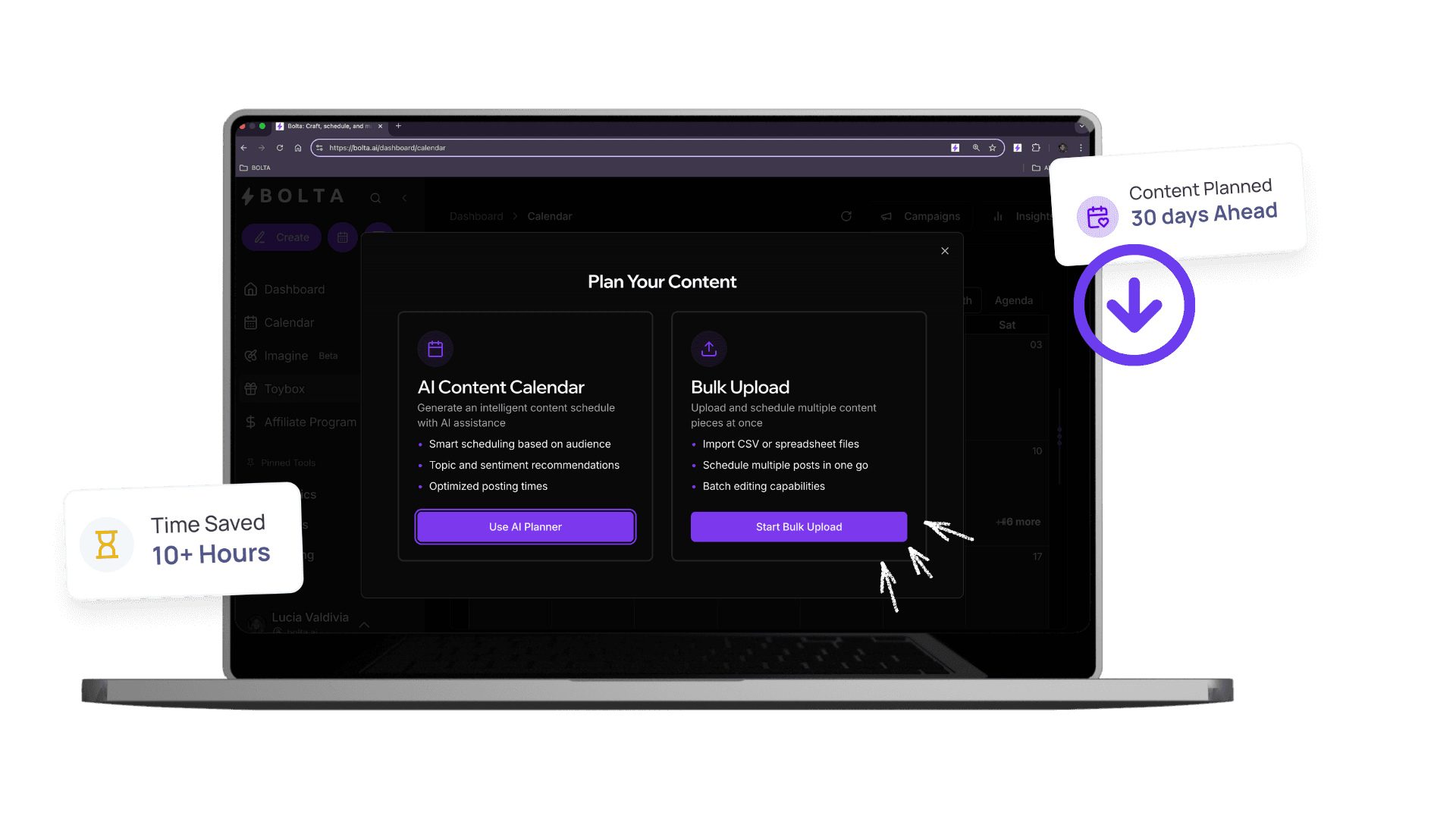
🚀Agent-Powered Bulk Posting

Your Agent Schedules Entire Campaigns from One File

Your Bolta agent turns spreadsheets into scheduled content across every platform. Upload a CSV, set your preferences, and let your agent handle the rest—across Threads, X, LinkedIn, IG, and more.

Your Agent Schedules Entire Campaigns from One File Dashboard

Key Benefits of Your Agent Schedules Entire Campaigns from One File

Discover how Your Agent Schedules Entire Campaigns from One File can transform your social media workflow and help you achieve better results.

Agent processes CSV files and schedules everything
Works across all your connected platforms
Reviews and validates before posting
Handles timing, formatting, and optimization
Scales like an agency without the headcount

Best for

Teams that want agent processes csv files and schedules everything without adding more manual steps.

What it replaces

Scattered workflows, repetitive edits, and the lag between planning and publishing that slows social teams down.

What improves first

If you're still posting content one-by-one, here's what you're losing: ⏳ Time, 📉 Reach, 😩 Sanity, 🧠 Brainpower. That's not a strategy. That's a bottleneck.
Manual Posting Is for Beginners

If you're still posting content one-by-one, here's what you're losing: ⏳ Time, 📉 Reach, 😩 Sanity, 🧠 Brainpower. That's not a strategy. That's a bottleneck.

Your Agent Schedules Entire Campaigns from One File Screenshot 1

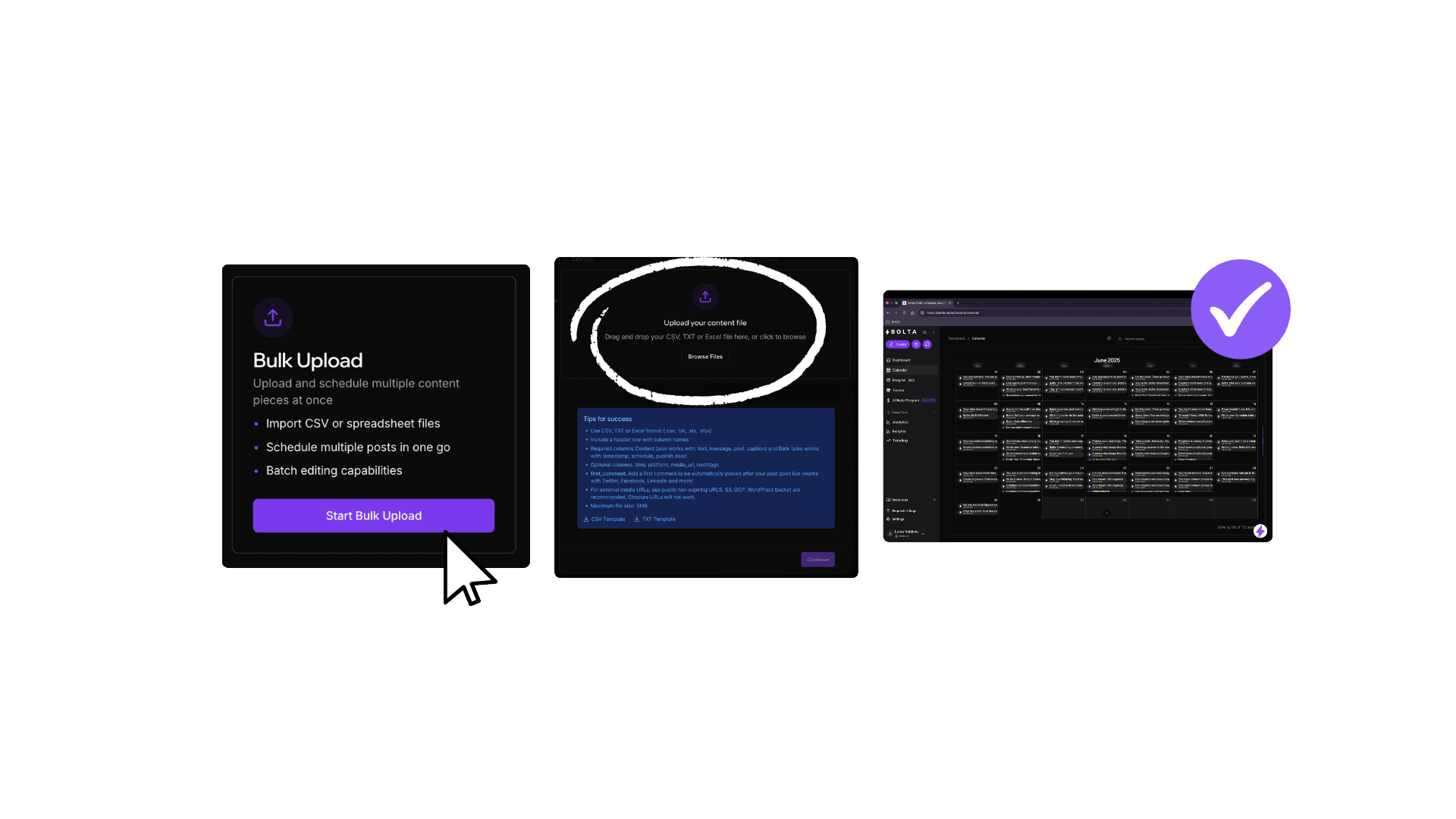
Your Agent Turns Spreadsheets Into Scheduled Content

Hand your agent a CSV with post text, links, times, hashtags, and tags. It handles the scheduling across every platform you need—in seconds.

How Your Agent Works

Upload your content file (CSV/Google Sheet/Excel). Your agent validates timing and formatting. It schedules across Threads, X, LinkedIn, IG, Facebook. You review and approve if you want. Everything posts on time.

Bulk = Leverage

One upload from you = ✅ A week of content, ✅ A whole campaign, ✅ A month of brand presence, ✅ Zero stress. This is how agencies scale. Now your agent does it for you.

Multi-Platform by Default

Your agent posts to Threads, X, LinkedIn, IG, Facebook, Bluesky—wherever you're active. One agent. Every platform. Fully scheduled.

For Power Creators, Teams, and Agencies

This isn't for dabblers. It's for the ones playing long-game, high-leverage content. Ghostwriters, SMMs, Coaches, Founders, Agencies. Your agent multiplies your output without multiplying your workload.

What this feature helps you ship

Agent processes CSV files and schedules everything
Works across all your connected platforms
Reviews and validates before posting
Handles timing, formatting, and optimization

Your Agent Schedules Entire Campaigns from One File is one part of the job. An AI agent runs the recurring workflow around it — drafting, review, scheduling, and publishing.

Frequently Asked Questions

Answers to the questions buyers ask most before they commit.

What file format does bulk scheduling need?

A CSV works. Each row is one post: the text, the date and time, the accounts it targets, any link, hashtags, and a media URL. Bolta provides a template so the columns line up, and you can export the same structure from Google Sheets or Excel before uploading it in one pass.

Can I preview posts before they go live?

Yes. Everything from the file lands as staged drafts you can read, edit and reschedule before anything publishes. Nothing goes out without approval unless you deliberately enable autopublish, so a hundred-row upload is still a hundred posts you have signed off on individually or approved together.

Can I schedule to several platforms from one upload?

Yes. A single file can target LinkedIn, X/Twitter, Instagram, Facebook, Threads, TikTok, YouTube, Pinterest, Bluesky and Reddit at once. Name the accounts in the row and each post is formatted for the network it lands on, so one campaign covers every channel without a separate upload per platform.

What happens if I make a mistake in the CSV?

Bolta validates the file before scheduling anything and flags the rows that fail — a date in the past, a missing account, text over a platform's character limit, or a broken media link. You fix those rows and re-upload, or correct them inline. Invalid rows never reach the queue.

How many posts can I schedule at once?

A single upload can cover a week, a month, or an entire campaign across every connected account; row count depends on your plan rather than the tool. Most teams load two to four weeks at a time, which is enough to hold a cadence without locking in content that goes stale.

How long does bulk scheduling take?

Preparing the file is the work; the scheduling itself takes seconds. Once the CSV is validated, Bolta places every row on the calendar with the right account, time and format, and shows you the filled calendar for review. A month of content usually goes from spreadsheet to scheduled in one sitting.

This Is What Scaling Looks Like

Manual = slow. Agent-powered = scalable. Hand your agent a spreadsheet and watch it schedule entire campaigns at warp speed.

Your Agent Handles Bulk Scheduling | Bolta